
How to Check Your Financial Aid Status in the GCU Portal?
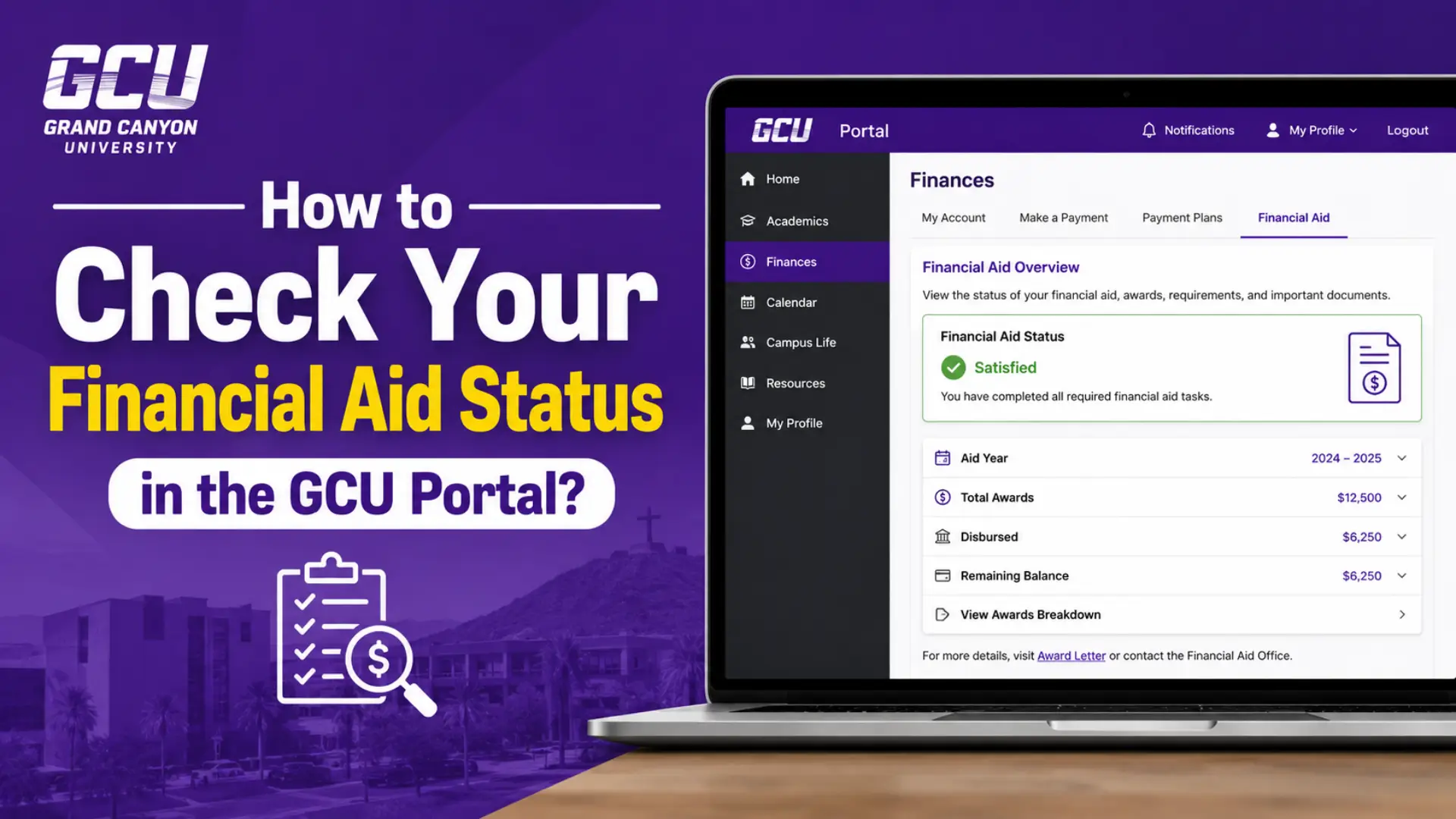
How to Check Your Financial Aid Status in the GCU Portal? Keeping track of your financial aid is one of the most important parts of managing your college journey, and Grand Canyon University (GCU) makes this process simple through its online Student Portal. Whether you’re waiting on your award notification, checking disbursement dates, or confirming your loan details, the GCU Portal gives you a single place to monitor everything. In this guide, we’ll walk you through exactly how to check your financial aid status step by step, explain what each section means, and answer common questions students have about the process.
What Is the GCU Student Portal?
The GCU Student Portal is the official online dashboard for Grand Canyon University students. It brings together academics, billing, and financial aid tools in one centralized hub so students don’t have to contact different departments separately. Instead of calling the financial aid office every time you want an update, you can log in anytime, from anywhere, and see where your aid application stands.
The portal covers far more than financial aid. Students use it to register for classes, check grades, communicate with instructors, access their student email, and manage tuition payments. But for most students, the financial aid section is one of the most frequently visited areas, especially at the start of a new semester or after submitting the FAFSA.
Why Checking Your Financial Aid Status Regularly Matters
Financial aid isn’t a one-time process. Your status can change based on verification requests, updated FAFSA information, enrollment changes, or additional documents the university needs from you. If you don’t check your portal regularly, you risk missing:
- A request for additional verification documents
- A deadline to accept or decline part of your aid package
- A change in your award amount due to enrollment status
- Delays in disbursement that could affect your tuition payment
Staying on top of your status helps you avoid late fees, registration holds, or gaps in funding that could disrupt your semester.
How to Check Your Financial Aid Status in the GCU Portal
Step 1: Log Into Your Student Portal
Go to the official GCU Student Portal login page and sign in using your GCU student credentials (your student email and password). If you’re a new student and haven’t set up your login yet, you’ll typically receive setup instructions from your enrollment or admissions counselor after you’re accepted.
If you ever forget your password, use the “Forgot Password” option on the login screen, or contact GCU’s technical support team for help resetting your credentials.
Step 2: Navigate to the Finance Section
Once you’re logged in, look for the finance-related area of your dashboard. Depending on whether you’re a traditional (on-campus) student or a non-traditional (online) student, this section may appear slightly differently:
- Traditional/campus students typically click into a “Financial Estimate” or similar tool to see a breakdown of costs and aid.
- Online/non-traditional students usually go to “Account Details” to view their balance, charges, and applied aid.
This is where your financial aid awards, scholarships, grants, and loan information will be listed alongside your account balance.
Step 3: Review Your Financial Aid Offer
Inside the finance section, you’ll find your financial aid offer, sometimes called an award letter. This document outlines every type of aid you’ve been approved for, including:
- Federal grants (such as the Pell Grant, if eligible)
- Institutional scholarships (academic, departmental, or merit-based)
- Federal student loans (subsidized and unsubsidized)
- Any outside scholarships you’ve reported to the university
Take time to read through each line item carefully. If any numbers look unfamiliar or you’re unsure what a specific aid type means, this is a good moment to reach out to your Student Services Counselor (more on that below).
Step 4: Check for Pending Requirements or Verification Items
Sometimes your file is selected for verification, which means the Department of Education wants GCU to confirm certain details from your FAFSA before your aid can be finalized. If this applies to you, the portal will usually flag outstanding documents you need to submit, such as tax transcripts, verification worksheets, or identification forms.
Uploading these promptly through your portal helps prevent delays in your aid being applied to your account. Only submit what’s specifically requested, since submitting unnecessary documents can slow down processing rather than speed it up.
Step 5: Confirm Your Enrollment Status Matches Your Aid Requirements
Your financial aid eligibility is directly tied to your enrollment status. For example, most federal loan programs require a minimum number of credits per term, and many institutional scholarships require continuous full-time enrollment. If you’ve recently dropped a class or changed your course load, check your portal to make sure your aid hasn’t been adjusted as a result.
Step 6: Look for Your Disbursement Date
Once your aid is finalized and any required documents are submitted, your portal will typically show a disbursement schedule. This tells you when your aid will be applied to your account and, if you have a credit balance (often called a stipend), when you can expect that to be issued.
Step 7: Contact Your Student Services Counselor (SSC) If You Have Questions
Every GCU student is assigned a Student Services Counselor. Their contact information is available inside your portal, often under a “My Counselor” section. If anything about your financial aid status seems unclear, incorrect, or delayed, your SSC is your direct point of contact for resolving it. You can also reach the GCU main line if you’re unable to access your portal.
Common Reasons Financial Aid Status May Be Delayed
If your aid status hasn’t updated in a while, a few common culprits are usually behind it:
- Missing documents: Verification paperwork hasn’t been submitted yet.
- FAFSA errors or corrections: Discrepancies between your FAFSA and other records need to be resolved.
- Enrollment changes: Dropping below required credit hours can pause or reduce aid.
- Outside aid not reported: Scholarships from external sources need to be reported through your portal.
- Prior school loan holds If you received Title IV aid at another institution, this must be reported and cleared.
Understanding these common blockers can help you troubleshoot your own status before reaching out to your counselor, saving you time either way.
Tips to Stay on Top of Your Financial Aid
- Check your portal weekly, especially during the first few weeks of a new semester.
- Respond quickly to any document requests to avoid processing delays.
- Keep your contact information updated so you don’t miss important notifications.
- Save copies of your award letters and any documents you submit.
- Ask questions early don’t wait until a payment deadline is approaching to clarify confusion about your aid.
Frequently Asked Questions
Conclusion
Checking your financial aid status in the GCU Portal doesn’t have to be complicated once you know where to look. By logging in regularly, reviewing your award letter, staying current on requested documents, and keeping in touch with your Student Services Counselor, you can avoid unnecessary delays and stay financially prepared for each semester. Make it a habit to check your portal periodically, and you’ll always know exactly where your financial aid stands.